The User Panel allows employees to manage and complete their assigned tasks easily.
Users can view their tasks, check task status, and update tasks after completion.
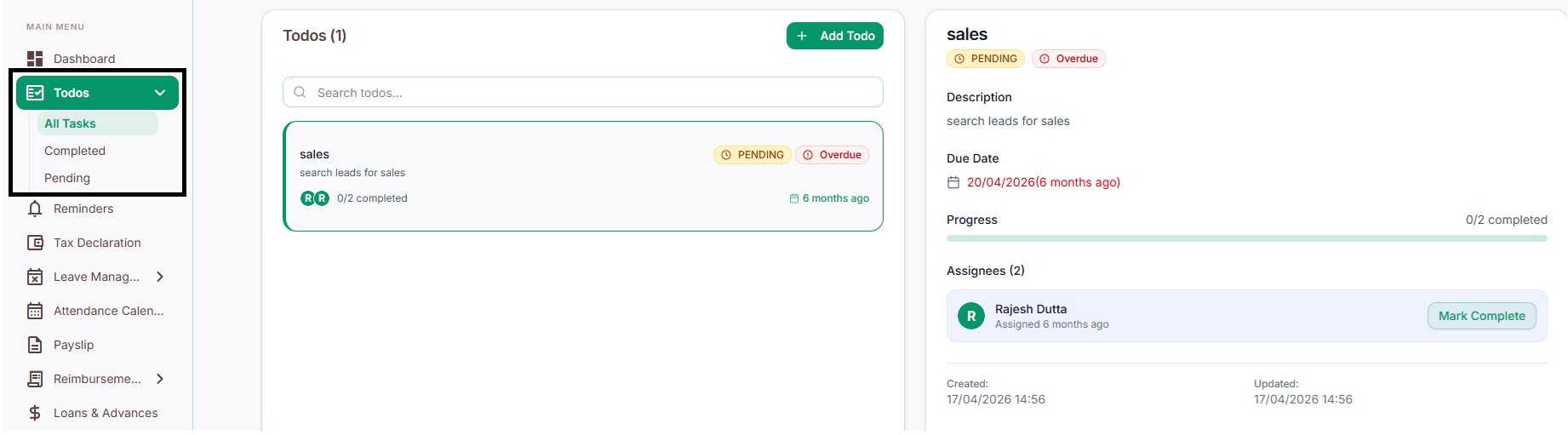
User Panel Capabilities:
View assigned tasks
Check pending and completed tasks
Track personal task progress
Mark tasks as completed
Stay organized with a structured task list
Managing Tasks
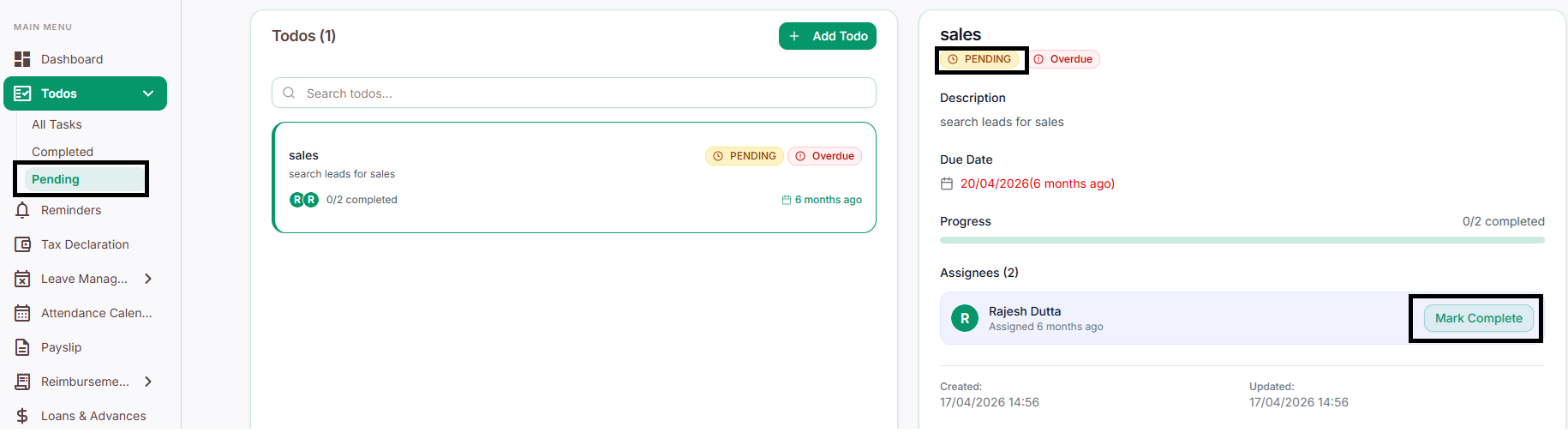
Viewing Pending Tasks
Users can open the Pending section to view all tasks that are currently incomplete.
This helps users identify tasks that require attention and manage their workload effectively.
Marking a Task as Complete
Once a task is finished, users can update its status by selecting the "Mark Complete" option.
After marking a task as complete, it will automatically move from the Pending section to the Completed section.