
One place to manage every employee record - from onboarding to exit.
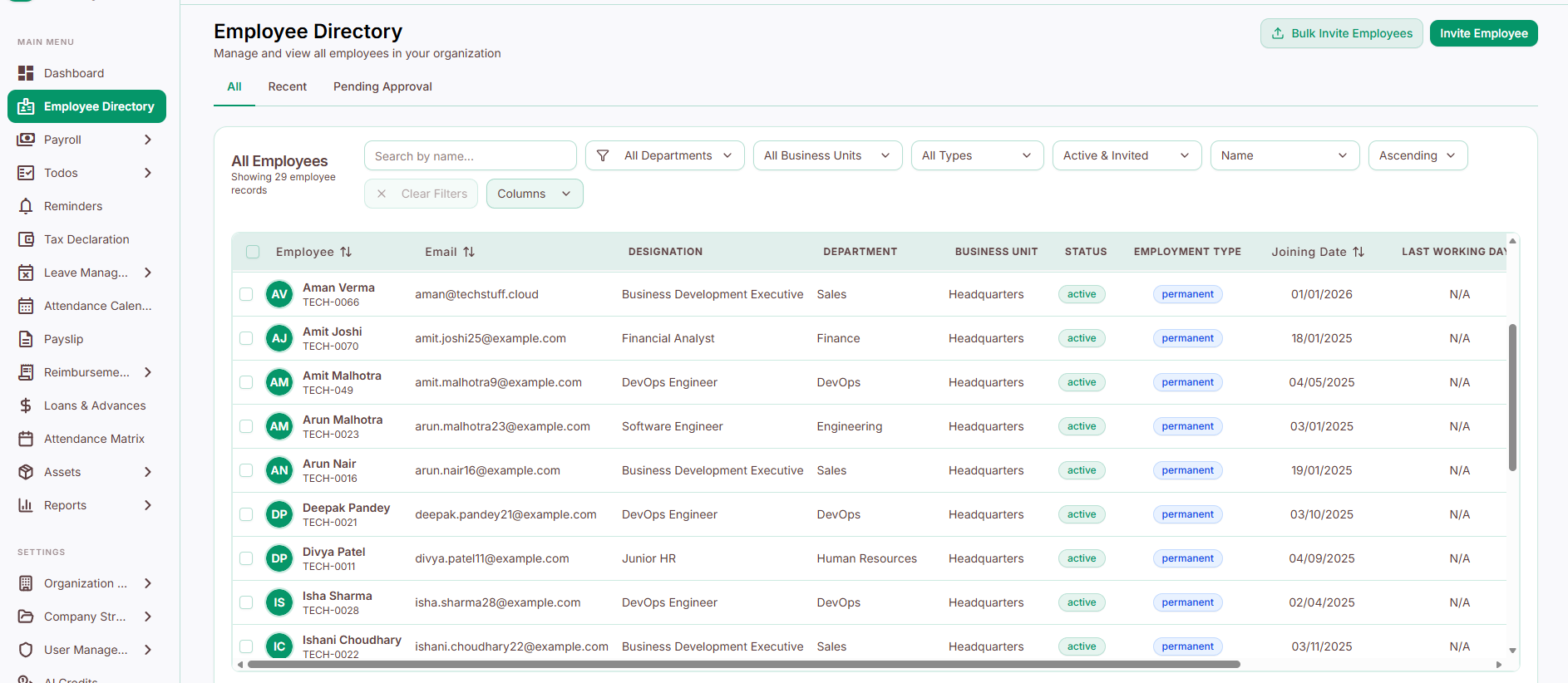
The Employee Directory is where HR manages employee records from start to finish - adding new employees, tracking profile updates, and handling approvals throughout their time at the company, all from a single dashboard.
Key Features
Invite Employee
Add new employees using either:
Single Employee Invite - enter one employee's details individually
Bulk Employee Invite - upload a spreadsheet to add many employees at once, ideal for mass onboarding
(Full steps for both are on the Inviting Employees page.)
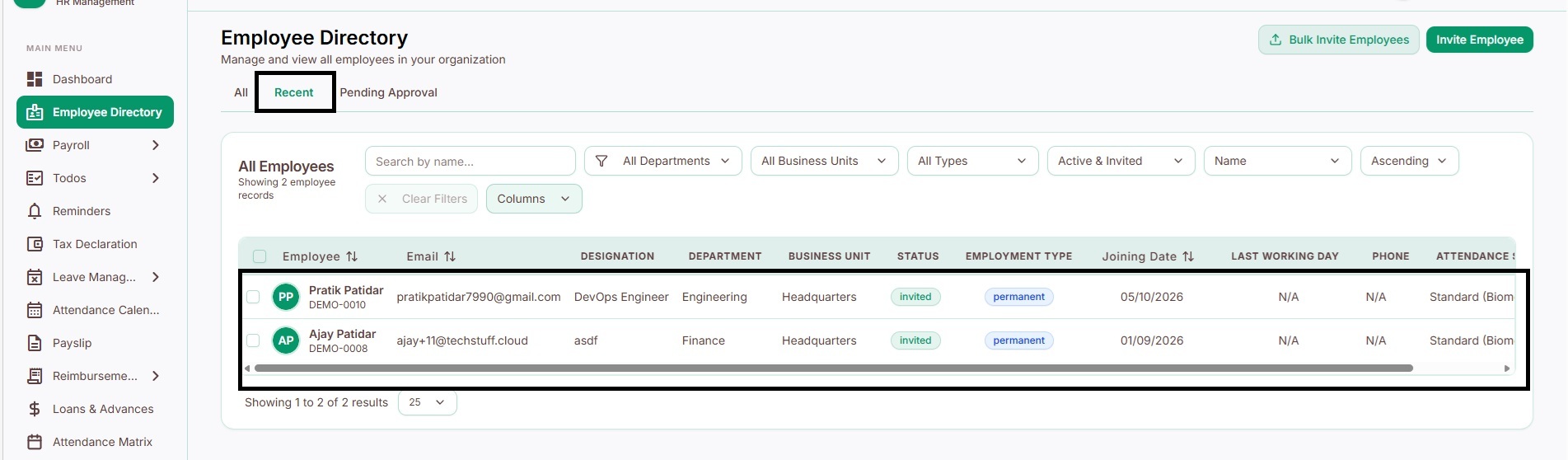
Recently Added Employees
A quick view of employees added recently, so HR can confirm new joiners' profiles were created correctly without searching the full list.
Pending Approval
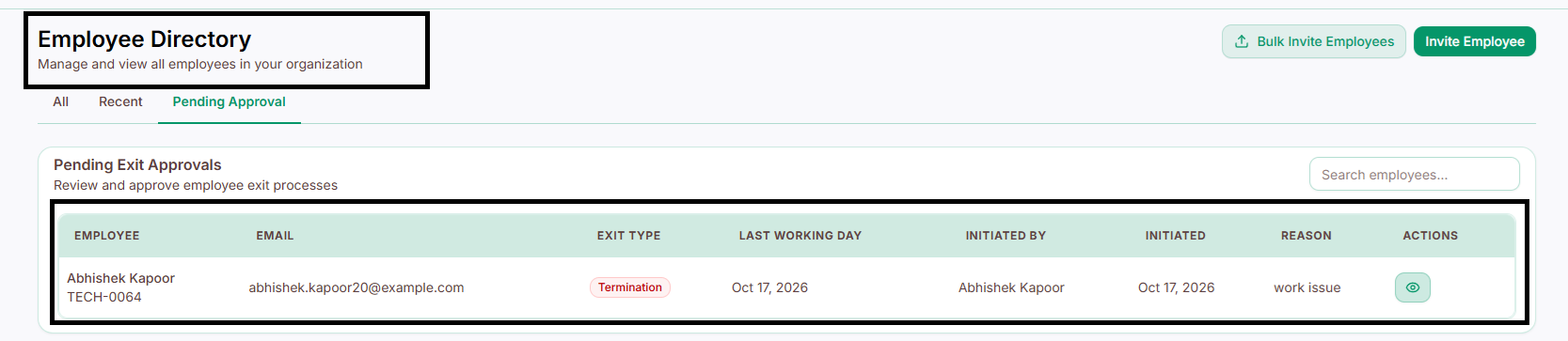
Everything that needs HR's attention in one place. This includes two kinds of requests:
Pending Profile Update
Profile updates
Bank account changes
Joining date corrections
Other employee information changes

Pending Exit Approvals
Resignation requests
Offboarding/exit process approvals
Both types can be reviewed and approved or rejected directly from this section - so nothing about an employee's information or their exit gets missed.
Why it helps
Everything about an employee's record lives in one dashboard, not scattered across systems
Bulk invites save time when onboarding many people at once
Every update - profile changes, bank details, exits - goes through one clear approval process
Nothing falls through the cracks, since new joiners and departing employees are both tracked in the same place