
Add one-time payments like bonuses or rewards, so they're automatically included when payroll runs.
Beyond regular salary, employees sometimes get extra payments - a festival bonus, a referral reward, a sales incentive. This section is where you record those, so they flow into payroll automatically instead of being handled separately.

Common types you can add:
Performance Bonus
Festival Bonus
Referral Bonus
Joining Bonus
Sales Incentives
Special Rewards
One-time Incentives
How to add a bonus or incentive
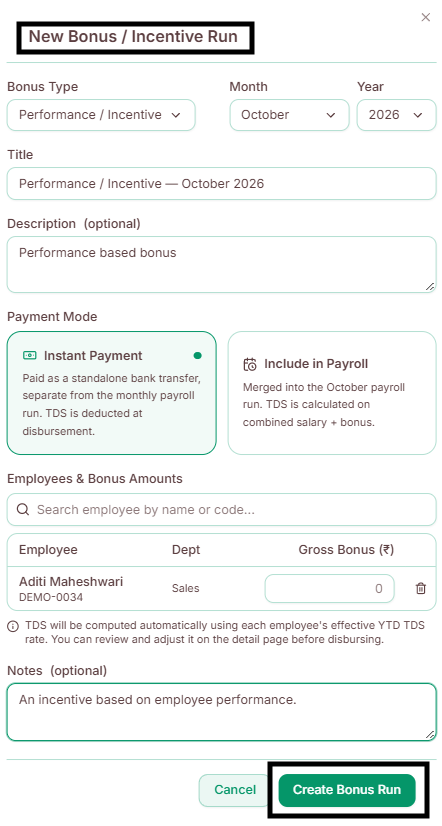
Go to Bonus & Incentives.
Click Add Bonus (confirm exact button label).
Select the employee.
Choose the bonus type (e.g., Performance Bonus, Referral Bonus).
Enter the amount.
Add any remarks or a short description, if helpful.
Select the payroll period it should apply to.
Click Save - it's now marked as ready and will be automatically included the next time payroll runs for that period.