
See every employee's payroll history, one person at a time.
While Payroll Runs shows history by run (all employees paid together in one cycle), Employee Records shows history by person - useful when you need one employee's full salary picture, not a whole month's run.
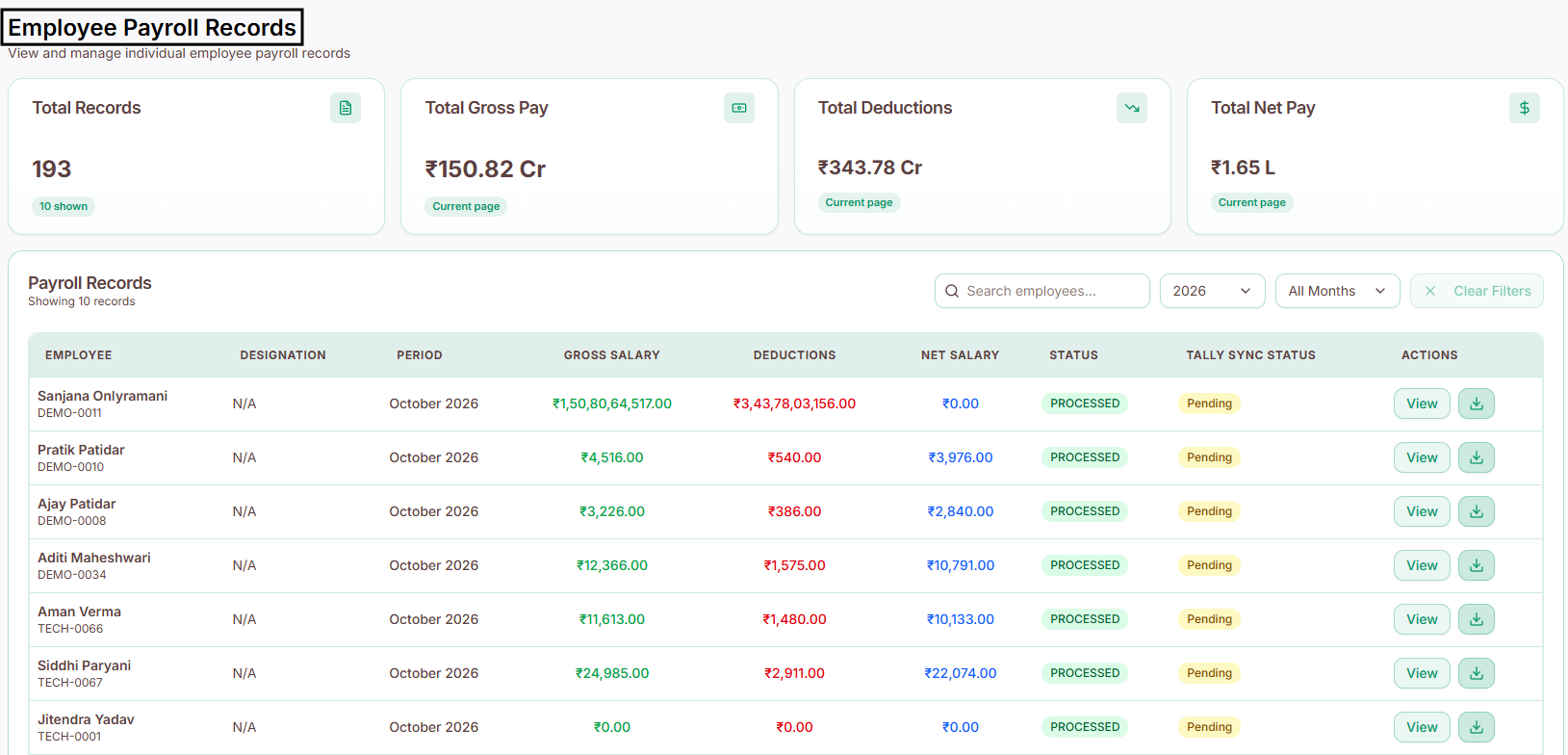
At a glance
Total Records - total payroll records on file
Total Gross Pay - combined gross pay across all records
Total Deductions - combined deductions across all records
Total Net Pay - combined net pay across all records
Search and filter
Find records by:
Employee Name
Year
Month
Payroll records table
Each record shows:
Employee Name
Employee ID
Designation
Payroll Period
Gross Salary
Total Deductions
Net Salary
Payroll Status
Tally Sync Status
Actions
Available actions
View - opens the full salary breakdown for that employee
Download - download the payroll details or payslip (available once that employee's payroll has been processed)